

- Published on: 2026-07-25 10:01:28
Best Trading Platform for Multiple Monitors: Maximising Your Visual Edge in 2026
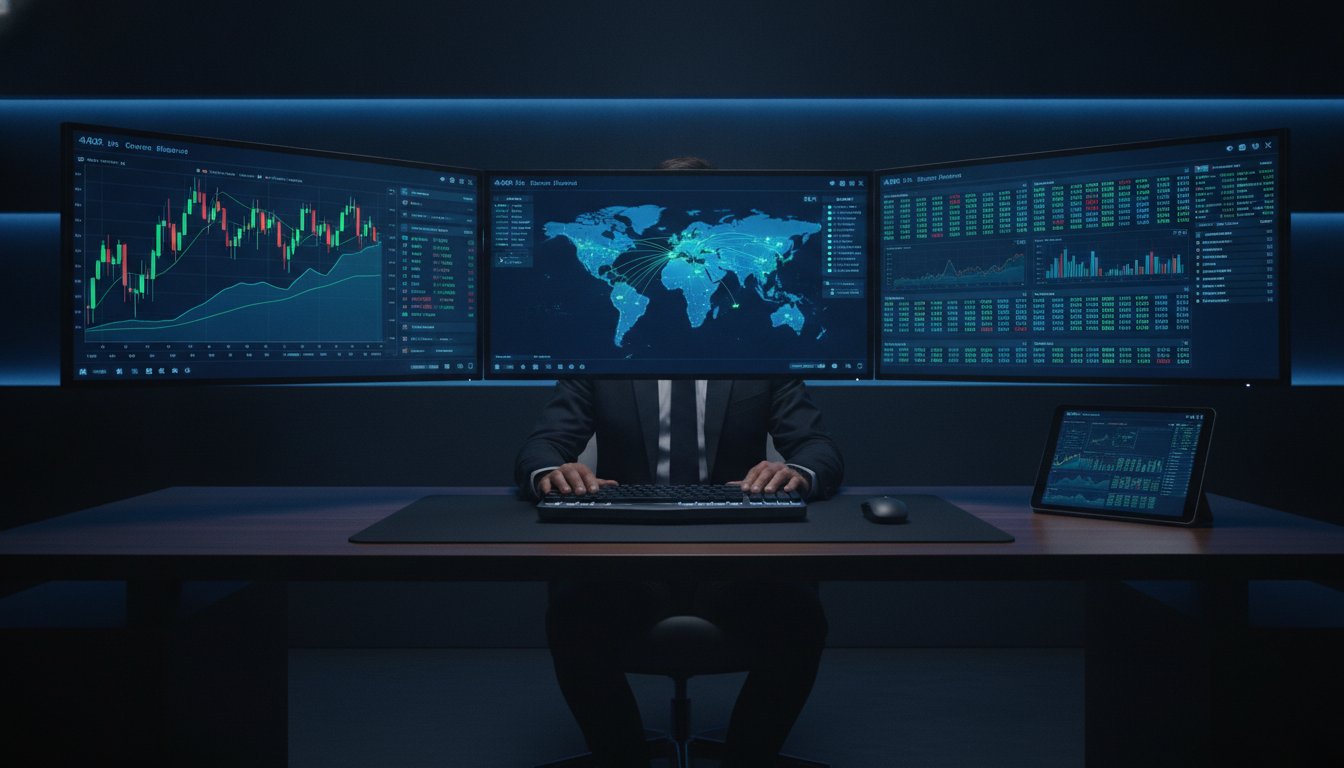
Your high-end GPU is useless if your trading software is stuck in the past. Most elite traders invest thousands in 4K displays only to watch their platform stutter the moment they undock a third chart. You demand a command center that mirrors a global institutional desk, not a laggy interface that loses its layout every time you reboot. It's exhausting when unoptimized software drains your CPU and forces you to re-align windows manually every single morning.
Finding the best trading platform for multiple monitors is about more than just screen real estate; it's about engineering a synergy between high-performance hardware and robust software infrastructure. This guide shows you how to eliminate lag and lock your workspace in place for a truly frictionless experience. We'll explore how to pair high-speed execution with stable multi-screen layouts to maximize your visual edge. Discover how our Scalp and Pro accounts provide the institutional-grade infrastructure you need to dominate the markets in 2026.
Key Takeaways
- Transform your trading from tunnel vision to total market awareness by leveraging strategic screen real estate.
- Identify the best trading platform for multiple monitors by prioritizing seamless window undocking and workspace persistence.
- Choose between modular multi-monitor rigs and ultrawide displays to find the ideal balance of focus and flexibility.
- It's vital to optimize your system settings to ensure high-refresh-rate performance and eliminate "phantom" price lag across screens.
- Drive your professional-grade setup with the high-speed infrastructure found in TradingPRO’s Scalp or Pro accounts.
The Multi-Monitor Advantage: Why Screen Real Estate Defines Trading Success
In the hyper-competitive landscape of 2026, trading on a single screen is like trying to pilot a fighter jet through a keyhole. You're effectively blind to the peripheral movements that define global market sentiment. Professional-grade multi-monitor display setups have transitioned from a luxury to a strategic baseline for high-performance traders. If you're serious about capturing alpha, you need a panoramic view of global liquidity. The best trading platform for multiple monitors doesn't just display data; it orchestrates it across your entire field of vision without a hint of lag.
The psychological shift from "tunnel vision" to "market awareness" is profound. When you're forced to toggle between tabs, your brain loses the thread of the market narrative. A dedicated multi-screen environment allows you to maintain a high-level perspective while drilling into the micro-details of price action. It's about reducing cognitive load. By assigning specific monitors to indicators, order flow, and news feeds, you free up mental bandwidth for the only thing that matters: making decisive, profitable moves. Stop squinting at cramped charts. Command the market with a workspace that reflects your ambition.
A single-monitor setup is a competitive disadvantage. It forces you into a reactive state. In contrast, a robust multi-monitor rig empowers you to be proactive. You can see a setup forming on the 4-hour chart while executing on the 1-minute, all while keeping a constant eye on the S&P 500 futures. This is how institutional desks operate. It's time to mirror that efficiency in your own workspace by pairing high-performance hardware with the right software infrastructure.
Expanding Your Market Awareness
True market mastery requires seeing the invisible threads that connect assets. You can't trade EUR/USD with total confidence if you aren't watching the Dollar Index (DXY) simultaneously on a secondary display. Dedicated screens for economic calendars and real-time news feeds ensure you're never blindsided by a high-impact data print. Monitoring multiple timeframes side-by-side allows for instant trend synchronization. This setup eliminates the friction of manual searching, letting you spot opportunities as they emerge across different sectors and asset classes.
Reducing Execution Friction
Speed is the ultimate currency. Our Scalp Account is specifically engineered for the high-frequency demands of multi-monitor traders who need zero-spread precision and rapid-fire execution. By separating your order entry windows from your complex technical analysis charts, you minimize the risk of "fat-finger" errors. You'll reduce click-fatigue and eliminate the delay caused by switching windows. This professional-grade infrastructure ensures that when the setup triggers, your execution is as fast as your visual confirmation. Don't let unoptimized software throttle your high-performance hardware.
Core Software Features for Multi-Display Mastery
High-performance hardware requires an equally sophisticated software engine. If your platform isn't optimized for multi-threaded data processing, your four-monitor rig is just an expensive heater. The best trading platform for multiple monitors handles each undocked window as a separate process. This prevents a single lagging chart from freezing your entire terminal. You need a platform that distributes the computational load across your CPU and GPU efficiently. In the high-stakes environment of 2026, software bottlenecks are unacceptable. Your infrastructure must be as fast as your execution.
Most traders focus on screen size, but the real edge lies in how the platform manages resource allocation. When you have 4+ displays running complex indicators, your CPU usage can spike. Professional platforms mitigate this by using multi-threaded data feeds. This ensures that a price spike on your primary monitor is reflected instantly on your secondary screens without "ghosting" or delay. While many of the best online trading platforms offer basic multi-screen support, only a few are engineered for the relentless data flow of professional day trading.
The Power of Undockable Windows
True multi-display mastery starts with the ability to shatter the main terminal window into independent entities. Every chart, depth-of-market (DOM) window, and news feed must be fully undockable. This allows you to position critical data exactly where your eyes naturally fall. These windows must maintain a perfect real-time sync with the core server. Using TradingPRO’s Trade Hub, you can manage these integrated tools from a central command point while they operate across your secondary screens. This modularity is essential for maintaining a clean, high-velocity workspace.
Workspace Profiles and Persistence
Nothing kills momentum like re-arranging twenty windows every morning. Your platform must feature robust workspace persistence. This means saving complex templates that span across different resolutions, from 1080p side-monitors to a 4K primary display. The software should remember exactly which pixel each window occupied. Modern platforms in 2026 now offer cloud-syncing for these profiles. This ensures your institutional-grade setup follows you to any machine. It eliminates "window drift," which is a common frustration where windows jump to the wrong screen after a system restart.
Speed and reliability are non-negotiable. To experience this level of technical precision firsthand, open your professional trading account and start engineering your workspace. Optimization at the software level is what separates a cluttered desk from a high-velocity command center. Success isn't just about what you see. It's about how fast your platform processes that vision.
Ultrawide vs. Multi-Monitor: Choosing the Right Rig for Your Strategy
Choosing between an ultrawide display and a modular multi-screen array isn't just an aesthetic preference. It's a technical decision that impacts how you interpret price action and execute under pressure. While an ultrawide monitor offers a sleek, bezel-free experience, the modular approach provides the flexibility required for complex, multi-asset strategies. The best trading platform for multiple monitors must bridge this gap, ensuring that your software scales perfectly regardless of your hardware's aspect ratio. Don't let a "stretched" interface distort your technical analysis.
Driving these high-resolution arrays requires a serious hardware-software handshake. A 4K monitor contains four times the pixels of a standard 1080p screen. If you're running four of them, your GPU and your trading platform's engine must work in perfect harmony to prevent frame drops. This is where unoptimized platforms fail. They can't handle the multi-threaded execution needed to refresh dozens of charts simultaneously across a massive pixel canvas. Professional traders demand crisp, high-refresh-rate visuals to catch the exact moment a candle breaks a key level.
Ultrawide: The Seamless Canvas
Ultrawide monitors, particularly those with 21:9 or 32:9 aspect ratios, are perfect for trend followers who need expansive horizontal price history. They provide a panoramic view that allows you to see the "big picture" without the interruption of bezels. However, you must ensure your software supports custom scaling. In 2026, the most common pitfall is platform UI elements becoming too small to read or candles appearing unnaturally wide. If your strategy relies on precise pattern recognition, a seamless canvas can be a game-changer, provided the software maintains its geometric integrity.
Modular Multi-Monitor: The Professional Standard
A modular setup, typically involving three or four 27-inch 1440p monitors, remains the institutional gold standard. This configuration allows for specialized orientations. You can keep your primary charts in landscape mode while rotating a side monitor to portrait mode for deep order books or long news feeds. It also offers critical redundancy. If one screen fails, your session continues uninterrupted. This modularity is why seasoned pros often prefer separate displays over a single large one. It mirrors the high-octane environment of a professional trading floor.
Ergonomics play a vital role in long-term success. Eye-scanning across a modular array is often less fatiguing than the constant head-turning required by some ultra-large curved displays. Adhering to multi-monitor display setups and following SEC guidance on day trading requires a setup that provides total transparency and rapid access to data. To truly capitalize on this visual advantage, you need an account that matches your rig's speed. Pair your professional setup with our Scalp Account to ensure your execution is as sharp as your display.
Configuring Your Workspace: A Step-by-Step Layout Guide
A high-performance rig is only as effective as its configuration. Even the best trading platform for multiple monitors will underperform if your operating system is strangling your hardware. In 2026, professional trading requires a surgical approach to OS-level settings. You must ensure your software and hardware are in perfect sync to eliminate micro-stutters during volatile sessions. Start by enabling GPU hardware acceleration within your trading terminal settings. This offloads the heavy lifting of chart rendering from your CPU, preserving its power for lightning-fast execution and real-time data processing.
Most traders overlook the importance of a unified refresh rate. If you mix a 60Hz secondary screen with a 144Hz primary display, your OS may struggle to synchronize the data flow, leading to perceived lag. Ensure every monitor in your array is set to its maximum supported frequency. This consistency is vital when you're tracking fast-moving price action across several displays. Your visual edge depends on every pixel updating at the exact same millisecond.
OS-Level Optimization
Your operating system often prioritizes visual flair over functional speed. Disable unnecessary system animations immediately. These cosmetic features consume precious CPU cycles that should be dedicated to your data feed. If you're on Windows, leverage the latest Snap Layouts to lock your trading windows into pixel-perfect grids. This eliminates the manual alignment struggle and ensures your workspace remains perfectly organized after a reboot. It's about creating a frictionless environment where the technology serves your strategy, not the other way around.
The Ideal 3-Screen Layout
Strategic positioning is the difference between a reactive trader and a proactive one. Organize your displays into distinct functional zones to minimize eye strain and maximize reaction speed. This modular approach mirrors the institutional desks of global banks.
- Screen 1 (Center): The Execution Zone. This is your primary command center. Keep your active charts and order entry windows here. It's where you pull the trigger.
- Screen 2 (Left): The Intelligence Zone. Dedicate this screen to real-time news feeds, social sentiment tools, and economic calendars. Use this to anticipate shifts before they appear on the chart.
- Screen 3 (Right): The Macro Zone. Monitor higher timeframes and correlated indices here. This screen provides the essential context that prevents you from trading against the dominant trend.
Prepare for mobility by creating an "Emergency Layout" profile. This single-screen configuration should consolidate your most critical tools into a compact view for laptop use during travel. It ensures you never lose your market awareness, even when you're away from your full rig. To put these optimizations into practice with institutional-grade speed, register your professional account today and dominate the 2026 markets. Your setup is now a weapon; use it with precision.
TradingPRO Infrastructure: Powering Your High-Performance Rig
Your elite multi-monitor array is only as powerful as the execution engine driving it. A high-refresh-rate display means nothing if your data feed is plagued by latency. To truly leverage the best trading platform for multiple monitors, you must pair your visual command center with institutional-grade infrastructure. TradingPRO provides this essential backbone. Our systems ensure that the price action you see on your primary 4K screen matches the execution speed on the backend. This synergy eliminates "phantom" price differences, where a laggy feed causes you to miss an entry that appeared valid on your chart just milliseconds ago.
The Scalp Account is the definitive choice for traders running complex, multi-chart setups. It provides a zero-spread environment that keeps pace with your visual analysis. When you're monitoring dozens of assets across four screens, you cannot afford broker-induced slippage. Our high-frequency infrastructure handles the massive data throughput required for the volatile markets of 2026. It provides direct market access that bypasses the bottlenecks common in standard retail applications. You demand precision from your hardware; demand the same from your broker.
ScalpX: Precision for the Visual Trader
Success in high-frequency trading depends on the integrity of your data. ScalpX is designed specifically for the high-density monitoring that multi-screen setups allow. It removes the "broker lag" that often haunts unoptimized platforms, ensuring your candles update in real-time across every inch of your display. This zero-spread environment allows you to execute with the same speed at which you identify patterns. Your visual edge is finally matched by a technical infrastructure that refuses to compromise on speed or reliability.
Scaling Your Ambition
Scaling your setup is a natural progression of your professional journey. Many elite traders begin with a Rookie Account to master their strategy before graduating to a multi-monitor Pro configuration. The TradingPRO Pro Account is engineered to handle institutional-grade data loads without flinching. It allows you to integrate Social Trading seamlessly into your workflow. You can dedicate an entire vertical monitor to replicating expert moves in real-time, effectively running a professional desk from your home office.
Fuel your expansion by leveraging our Deposit Bonus. This provides the additional capital needed to manage larger positions across your expanded field of vision. A larger rig demands more power. TradingPRO delivers that power through every tick. Don't let your broker be the weak link in your high-performance chain. Dominate the global markets with the precision and stability that only elite infrastructure can provide. Your visual command center is now complete. It's time to trade without limits.
Engineer Your Institutional Edge
Your trading environment is now a high-velocity weapon. By pairing a modular multi-screen array with surgical OS-level optimizations, you've eliminated the friction that holds retail traders back. You understand that the best trading platform for multiple monitors must provide workspace persistence and multi-threaded data feeds to maintain your competitive advantage. It's time to move beyond simple chart watching and start commanding the markets with institutional precision. Your visual edge is the foundation of your future success.
TradingPRO provides the elite infrastructure required to drive your vision forward. Benefit from multi-asset access across Forex, Metals, and Indices while relying on our robust negative balance protection for total peace of mind. Every tick matters when you're monitoring multiple timeframes across four or more displays; don't let inferior execution throttle your potential. Experience institutional-grade execution speed that keeps pace with your most complex layouts and highest ambitions. Open a TradingPRO Scalp Account and Unleash Your Multi-Monitor Setup today. The global market moves fast. Now, you have the tools to move faster.
Frequently Asked Questions
Does MT5 support multiple monitors better than MT4?
Yes, MetaTrader 5 offers superior native support for multi-screen setups. Unlike the older MT4 architecture, MT5 allows you to undock charts as independent windows with a single click. This multi-threaded approach ensures that dragging charts across different displays doesn't cause the terminal to hang or crash. It's the standard for traders who demand a stable, high-performance visual environment.
How many monitors do I actually need for day trading in 2026?
A three-monitor array is the professional baseline for active day trading. This setup provides a dedicated execution zone in the center, a macro-trend display on the right, and a market intelligence feed on the left. While some elite desks utilize six screens, three monitors offer the perfect balance of situational awareness without the cognitive overload that leads to analysis paralysis.
What is the best monitor size and resolution for trading charts?
The institutional gold standard is a 27-inch display with 1440p resolution. This combination provides the pixel density required to keep candles and indicators crisp without forcing you to use aggressive OS scaling. While 4K is impressive for a primary 32-inch screen, 1440p remains the sweet spot for maintaining high refresh rates across a modular multi-monitor rig.
Will a multi-monitor setup slow down my trading platform?
Your platform will only slow down if your hardware is underpowered or your software is unoptimized. The best trading platform for multiple monitors uses GPU acceleration to offload chart rendering from the CPU. By pairing a dedicated graphics card with a TradingPRO Scalp Account, you ensure that your data processing remains lightning-fast regardless of how many charts you have open.
Can I run a multi-monitor trading setup on a laptop?
Do I need a dedicated graphics card (GPU) for a 4-monitor trading rig?
A dedicated GPU is non-negotiable for a four-monitor setup. Integrated graphics chips aren't designed to render high-resolution price data across thousands of horizontal pixels simultaneously. A dedicated card ensures smooth frame rates and prevents the micro-stutters that can obscure vital price action. It's a small investment that protects your ability to execute with absolute precision.
How do I save my trading layout so it doesn’t reset on restart?
You must use the "Workspaces" or "Templates" feature within your trading terminal. Modern platforms in 2026 feature cloud-syncing that remembers the exact pixel coordinates of every undocked window. Always save your profile before closing the software. This ensures your institutional-grade layout snaps back into position instantly every time you power up your rig for the New York open.
Is an ultrawide monitor better than three separate monitors for trading?
Ultrawide monitors are excellent for seamless trend analysis, but they lack the flexibility of modular setups. Separate monitors allow you to rotate a side screen into portrait mode, which is ideal for viewing deep order books or long news feeds. Most professionals prefer the modular approach because it offers redundancy; if one screen fails, your entire trading session isn't compromised.


