




- Published on: 2026-11-03 00:44:00
Market Orders vs Pending Orders: What’s the Difference?
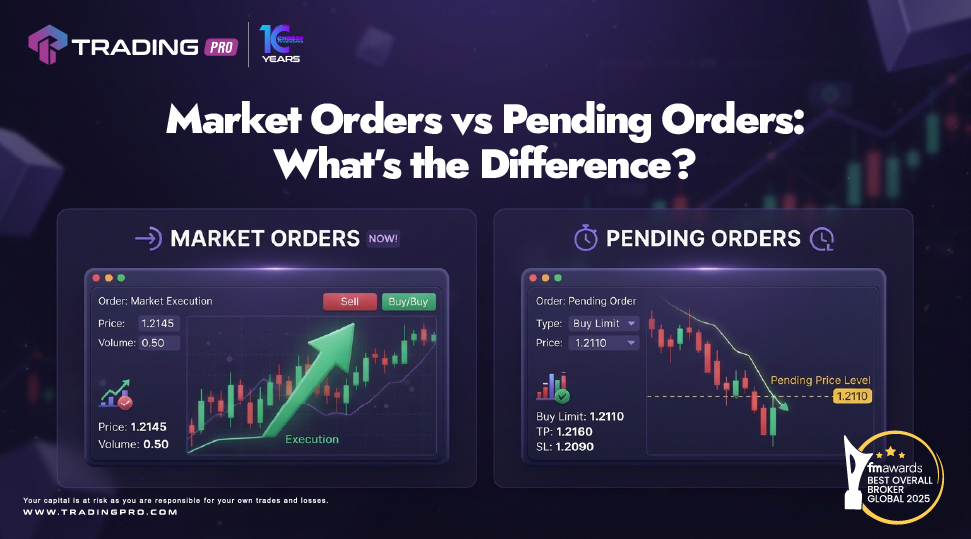
Market Orders vs Pending Orders: What’s the Difference?
1. What is the difference between a market order and a pending order?
A market order is submitted for execution at the best available price, while a pending order is placed with specific conditions for when it should be activated. Understanding the difference can help traders choose an order type that matches their trading plan. On TradingPRO's MT5 platform, users can access different order types and monitor their positions from one interface.
2. When should a trader consider using a pending order instead of entering the market immediately?
A pending order can be useful when a trader has identified a specific price level but does not want to enter the position immediately. Instead of continuously monitoring the market and manually entering an order, the trader can set predefined conditions through TradingPRO MT5 and allow the order to be triggered if those conditions are met.
How Does a Market Order Work?
A market order is designed to execute as soon as possible at the best available price. The final execution price can differ from the price displayed when the order was submitted, particularly when markets are moving quickly. This is one reason why understanding execution and potential slippage is important when using TradingPRO's MT5 platform.
What Is a Pending Order?
A pending order is an instruction to open a position when a specified price condition is reached. Instead of entering immediately, the order remains pending until the market reaches the defined level or until another condition causes the order to expire or be cancelled. MT5, available through TradingPRO, provides several pending-order options.
What Is a Buy Limit and Sell Limit?
A Buy Limit order is generally placed below the current market price, while a Sell Limit order is generally placed above it. These order types can be used when a trader expects the market to reach a particular level before potentially reversing. The trader determines the price level in advance rather than entering the market at the current price.
What Is a Buy Stop and Sell Stop?
A Buy Stop is generally placed above the current market price, while a Sell Stop is generally placed below it. These orders can be used when a trader wants to enter if the market moves through a particular level. Understanding how these orders work is important for anyone using TradingPRO MT5 to plan entries around specific price levels.
Market Orders and Volatility
Market conditions can influence how orders are executed. During periods of significant volatility, prices can change rapidly, potentially creating differences between the requested and executed price. Traders using TradingPRO should therefore understand the relationship between order type, market conditions, liquidity and execution before placing an order.
How MT5 Makes Order Management Easier
TradingPRO provides access to MetaTrader 5, where traders can place market and pending orders, monitor open positions and review their account information. The platform also allows users to modify or cancel eligible pending orders before they are triggered, giving traders greater control over how predefined entries are managed. Explore the MetaTrader 5 platform offered by TradingPRO to learn more about its features.
Choosing an Order Type Based on Your Plan
There is no single order type that is suitable for every situation. A trader deciding to enter immediately may consider a market order, while someone waiting for a specific price level may consider a pending order. The important point is to understand how each order works and ensure it fits the strategy and risk parameters being used with TradingPRO.
Understanding Order Types Before You Trade
Knowing the difference between market and pending orders is an essential part of understanding how MT5 works. By learning how Buy Limit, Sell Limit, Buy Stop and Sell Stop orders function, traders can make more informed decisions about how they want to approach potential entries. With TradingPRO MT5, users can access these order-management tools while developing a more structured approach to their trading decisions.
Discover more about TradingPRO's platforms, educational insights, and latest updates by following our official social media channels.


